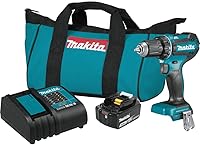
Best Cordless Drill: A Plain Buying Guide for Homeowners
The best cordless drill for most homeowners is a 1/2-inch drill driver with two speeds, a variable-speed trigger and a battery kit. Choose a hammer drill if you regularly drill masonry, and compare batteries within a tool system you already own.
On this page (12 sections)
- What makes the best cordless drill for home use?
- Which features matter when you compare drills?
- Which cordless drill kit fits your jobs?
- Should you buy a drill driver or a hammer drill?
- How do you choose a drill kit and battery system?
- How do you set up a cordless drill before the first job?
- How do you choose a drill bit and clutch setting?
- What mistakes should you avoid with a cordless drill?
- How should you care for a cordless drill?
- How should you compare drill specifications?
- What is the best cordless drill for your home?
- Which cordless drill questions come up most?
The best cordless drill for most homeowners is a 1/2-inch drill driver with two speeds, a variable-speed trigger and a battery kit. That combination handles common drilling and fastening jobs, while a hammer drill is the better fit for regular masonry work.
Start with the jobs you expect to do: assembling furniture, hanging shelves, drilling pilot holes or working in brick. Then compare chuck size, speed control, clutch, battery system and kit contents against those jobs.
This guide compares 4 drill driver kits for different home needs. If you want a shorter shortlist, see our best cordless power drills for everyday jobs.
What makes the best cordless drill for home use?
For general home use, look for a 1/2-inch drill driver with variable speed, two speed ranges and a battery kit. Those features give you room to handle common bits and accessories, start carefully and choose a speed suited to fastening or drilling.
A 1/2-inch chuck accepts many common bit shanks, but check that each bit fits before starting. Two-speed gearing gives you a slower range for fastening and a faster range for drilling; a variable-speed trigger lets you ease into the work instead of starting at full speed.
Think about handling, too. A compact body can help in tight spaces, while a comfortable grip and a clear view of the work area make it easier to guide the bit.
A regular drill driver is often enough for wood and metal projects. If masonry is part of your routine, compare tool types in our hammer drill vs regular drill guide.
Which features matter when you compare drills?
Compare control, battery compatibility and the materials you plan to drill, rather than picking by voltage or one headline number. These features can help narrow the choices:
| Feature | Why it matters |
|---|---|
| Chuck size | A 1/2-inch chuck accepts many common drill bits and accessories. |
| Speed ranges | Two speeds give you options for fastening and drilling. |
| Variable-speed trigger | Helps you ease into a hole or control a fastener. |
| Clutch settings | An adjustable clutch can limit force when driving screws. |
| Battery system | Batteries and chargers are tied to a tool platform; check compatibility. |
| Kit contents | Confirm whether a battery, charger, bit or storage case is included. |
| Drill type | A standard drill driver suits many home jobs; hammer action helps with masonry. |
| Grip and balance | A comfortable tool is easier to guide through repeated holes or screws. |
How much power does a homeowner need?
There is no single power figure that guarantees a drill will suit every project. Match the tool’s stated output and controls to the materials and fasteners you expect to use.
For basic repairs, speed control and comfortable handling may matter more than maximum torque. For repeated work in dense materials or driving larger fasteners, compare the maker’s stated performance and choose a tool built for heavier tasks.
Published figures may use different units and describe different things. Compare a specific measure only when the tools report it the same way, and don’t treat an output number as a promise that every bit or material will behave alike.
Is a brushless cordless drill worth choosing?
A brushless motor is worth considering if the kit, controls and battery fit your work and budget. Motor type is one useful feature, but it doesn’t replace checking the whole tool.
The Skil PWR CORE 20 kit has a brushless motor, variable-speed trigger and 17 torque settings plus drill mode. Those controls can help you adjust speed and fastening force for different tasks.
For more options built around this motor type, see our guide to best brushless cordless drills.
Which cordless drill kit fits your jobs?
The right kit depends on your work, preferred battery system and what you need in the box. These picks cover a two-battery setup, a compact M18 option, a straightforward V20 kit and brushless controls.
The notes below connect each kit to a likely buyer. Check battery compatibility and included accessories before choosing.
DeWalt DCD771C2: best for a two-battery setup
The DeWalt kit is the best fit here if you want two batteries and a storage bag included. Its 1/2-inch single-sleeve ratcheting chuck, two speed ranges and 300 UWO stated output suit a range of home drilling and fastening jobs.
The listed speed ranges are 0–450 and 1,500 rpm. DeWalt describes the drill as lightweight for tight areas and gives it an ergonomic handle for comfort and control.
Choose it if the included batteries and bag match how you plan to store and use the drill. Skip it if you already own a different battery platform and would rather keep your tools within one system.
Milwaukee M18 2606-21CT: best for M18 users
The Milwaukee kit is the best fit for someone who wants a compact drill driver within the M18 system. It has a 1/2-inch chuck, speed ranges of 0–400 and 0–1,800 rpm, and a stated torque figure of 500 in-lb.
The kit includes one battery and a hard case. Milwaukee also describes overload protection and a fuel gauge as parts of the tool and battery setup.
Choose it if M18 compatibility and the compact format suit your projects. Skip it if this would be your first tool in the system and you need to confirm the charger or other kit contents before buying.
Craftsman V20 CMCD700C1: best for a simple home kit
The Craftsman V20 kit is a straightforward choice if you want a drill, battery, charger and LED light together. It has a 1/2-inch keyless chuck, two-speed gearbox and a stated motor output of 280 UWO.
Its listed speed ranges are 0–350 and 0–1,500 rpm. The charger is described as charging the included battery in 60 minutes or less, and the drill has a hook compatible with Versatrack.
Choose it if the V20 battery system and included setup match your needs. Skip it if you need multiple batteries in the kit or want brushless motor features.
Skil PWR CORE 20: best for adjustable fastening
The Skil kit is a good match if you want brushless operation and several torque settings. It has a 1/2-inch keyless chuck, variable-speed trigger, 17 torque settings plus drill mode, and stated maximum torque of 400 in-lb.
The kit includes a 2.0 Ah battery, charger and double-end bit. Its LED worklight has pre-light and afterglow.
Choose it if you want more clutch settings for varied fastening tasks and the included battery setup suits your plans. Skip it if you need a second battery in the box or prefer to stay with a tool platform you already own.
Should you buy a drill driver or a hammer drill?
Choose a regular drill driver for general wood and metal work, and consider a hammer drill if you often drill brick, concrete or other masonry. Hammer action helps the bit work through masonry, but the bit and tool must still suit the material.
For an occasional hole in brick, check the anchor and tool instructions, use a masonry bit and work at a controlled speed. Our guide explains how to drill into brick with a cordless drill.
Concrete jobs may need a different approach and bit selection. Read how to drill into concrete with a hammer drill before starting.
If you mostly need to drive screws, an impact driver may be useful alongside a drill, but it handles bits and tasks differently. Compare an impact driver vs drill before choosing your first tool.
How do you choose a drill kit and battery system?
Choose a battery platform based on tools you own or expect to buy. A kit with a battery and charger is convenient for a first tool, while a bare tool may suit someone who already has compatible batteries and a charger.
The kits here have different contents: DeWalt includes two batteries and a bag, Milwaukee includes one battery and a hard case, Craftsman includes a battery and charger, and Skil includes a 2.0 Ah battery, charger and double-end bit. Think about where you’ll use the drill and whether you need spare batteries for longer jobs.
Battery capacity can affect how long you work between charges, but runtime varies with the material, bit, speed and load. Follow the charger instructions and use batteries intended for the tool system.
If you expect to add another tool, compare options in our cordless drill combo kit guide.
How do you set up a cordless drill before the first job?
A few checks before you start can prevent loose bits, stripped screws and avoidable pauses. Charge the battery, fit the bit securely and choose the correct mode and speed before drilling or driving.
Read the tool instructions, then insert the battery and check that it locks in place. Open the chuck, seat the bit straight and tighten it securely; a loose bit can wobble or slip under load.
For screws, fit a driver bit that matches the head and start with a low clutch setting. For drilling, switch to drill mode and use a bit made for the material.
If the tool has two speeds, choose the slower range for controlled fastening and the faster range for drilling when appropriate.
Clear the work area and secure loose material before starting. Keep the drill aligned with the work, use a stable stance and wear eye protection, especially when chips or dust may fly.
How do you choose a drill bit and clutch setting?
Choose a bit made for the material and hole size, then start with a low clutch setting when driving screws. Use drill mode for holes, and try the setting on scrap material when you’re unsure how much force a fastener needs.
Wood, metal and masonry bits are designed for different materials. The wrong bit can slow the work or damage the bit, fastener or surface.
Keep the drill straight as the bit starts and let the tool do the work without forcing it. Match the driver bit to the screw head, and stop if the bit slips.
If you’re new to the controls, read what the numbers on a drill mean before setting the clutch. For a step-by-step bit change, see how to change a drill bit.
What mistakes should you avoid with a cordless drill?
The most common mistakes are using the wrong bit, applying too much force and choosing the wrong setting. Stop and correct the setup when a bit slips, a screw head starts to strip or the drill strains.
A bit that doesn’t match the material can overheat, wander or wear out quickly. A bit that doesn’t fit the chuck securely can wobble, so check the shank and tighten the chuck before starting.
Driving screws in drill mode can apply more force than needed. Use the clutch, begin at a low setting and increase it only if the screw stops short.
Don’t force a drill through a stubborn hole. Ease pressure, check whether the bit is right for the material, clear debris when appropriate and let the tool and bit work at a controlled pace.
For masonry, don’t assume a standard drill driver will do the job well. Choose a hammer drill and the right bit for regular brick or concrete work, and follow instructions for the tool and anchor.
How should you care for a cordless drill?
Basic care starts with clean storage, a sound battery and bits that are in good condition. Remove the battery before changing bits or cleaning the tool, and follow the manufacturer’s care instructions.
After a job, wipe dust from the drill and chuck with a dry cloth. Keep the tool and battery away from damp storage, and store them in the case or bag when available.
Use the correct charger for the battery system and let the battery charge as directed. Don’t use a damaged battery, charger, cord or tool; stop and replace or service damaged parts according to the manufacturer’s instructions.
Check bits for wear before the next job. Dull or damaged bits can make the drill work harder and can wander, so replace them when they no longer cut cleanly.
How should you compare drill specifications?
Compare the same type of specification across tools, and treat each number as a clue about one feature, not a complete measure of performance. Speed, torque and motor output use different units and don’t describe the same thing.
DeWalt and Craftsman state output in UWO, while Milwaukee and Skil provide torque figures in inch-pounds. Those numbers shouldn’t be ranked against each other as if they shared one scale.
Check practical details alongside the figures: chuck size, speed range, kit contents, weight and battery compatibility. A drill with an appealing headline number may still be a poor fit if it lacks a battery, charger or control you need.
What is the best cordless drill for your home?
Pick DeWalt for two batteries and a storage bag, Milwaukee if a compact M18 drill fits your system, Craftsman for a V20 kit with LED light, or Skil for brushless operation and 17 torque settings. For frequent masonry work, choose a hammer drill and the right masonry bit.
Before buying, check the kit contents and battery compatibility for your intended work. For a shorter shortlist of everyday options, compare our best cordless power drills.
Which cordless drill questions come up most?
These quick answers cover common choices about voltage, drill type and kit contents. Use them to narrow your options before comparing individual tools.
Is a 20V drill enough for home projects?
A 20V drill can suit many home projects, including routine drilling and fastening, but voltage alone doesn’t show how a tool will perform. Compare the chuck, speed settings, torque control, battery kit and materials you plan to work with.
Can I use a cordless drill to drive screws?
Yes. A drill driver is designed for drilling and fastening, and its clutch can help limit force when driving screws.
Use a driver bit that fits the screw head and start with a low clutch setting. Increase it only if needed.
Do all cordless drill batteries fit each other?
No. Check compatibility within the tool maker’s battery system and the exact tool series.
Battery shape, voltage and charger requirements can differ. Confirm that the battery and charger are intended for the drill before using them.
What chuck size is best for a home drill?
A 1/2-inch chuck is a versatile choice for many home projects because it can accept a wide range of common bits and accessories. Check the bit shank size and tool instructions before use, since not every bit fits every chuck.
Frequently asked questions
What is the best cordless drill for most homeowners?
A 1/2-inch drill driver with two speeds, a variable-speed trigger, a battery and a charger is a useful starting point for common home repairs. Choose a hammer drill if masonry holes are part of your regular work, and check whether the batteries fit tools you already own.
Is a 12V or 20V cordless drill better for home use?
Neither voltage is automatically better for every home. Compare the jobs, tool size, battery system and kit contents.
Then consider how often you will drill into dense material or drive long fasteners.
A compact drill can suit light work, while a larger system may offer more options.
Do I need a hammer drill for household projects?
A standard drill driver handles many wood and metal holes and fastening jobs. A hammer drill adds a hammering action for masonry, so it can help with brick or concrete holes.
Use the right masonry bit and follow the tool and anchor instructions.
What does a drill clutch do?
A drill clutch limits how much turning force the tool applies while driving a fastener. Lower settings can help reduce the chance of sinking a screw too far or damaging its head; drill mode is for drilling.
Start low and increase the setting as needed.
Should I buy a drill kit or a bare tool?
Buy a kit if you need a compatible battery and charger, or if you want them included together. A bare tool can make sense when you already own batteries and a charger from the same system.
Confirm compatibility before choosing.